

type to AIR within a transport chain when a shipment leg is flown.
TerraTwin can calculate air emissions from a very small amount of information, but air transport is especially sensitive to the aircraft and the airports used.
The selected aircraft affects the emissions intensity, the compatible departure and arrival airports, and whether stopovers are needed.
Mode
type: "AIR" in a transportChain transport element.TerraTwin treats that element as a requested air leg between the surrounding transport chain locations.Aircraft
vehicle when you know the aircraft.Aircraft can be supplied by IATA equipment code, ICAO aircraft type designator, or TerraTwin system identifier.Airports
AIRPORT, TerraTwin will instead select suitable airports automatically.Airport selection can take account of the selected aircraft’s runway requirements.Connectors
firstMile and lastMile when the road vehicle configuration is known.AIR transport element may be realized as several operations in the response: first-mile road, departure airport hub, one or more flights, stopover hubs, arrival airport hub, and last-mile road.Basic shape
A minimal air operation only needstype: "AIR" in the transport chain:
type property on the transport operation.
Because the origin and destination are places rather than airports, TerraTwin selects compatible airports and adds road connector movements where needed.
- First mile
- Flight
- Last mile
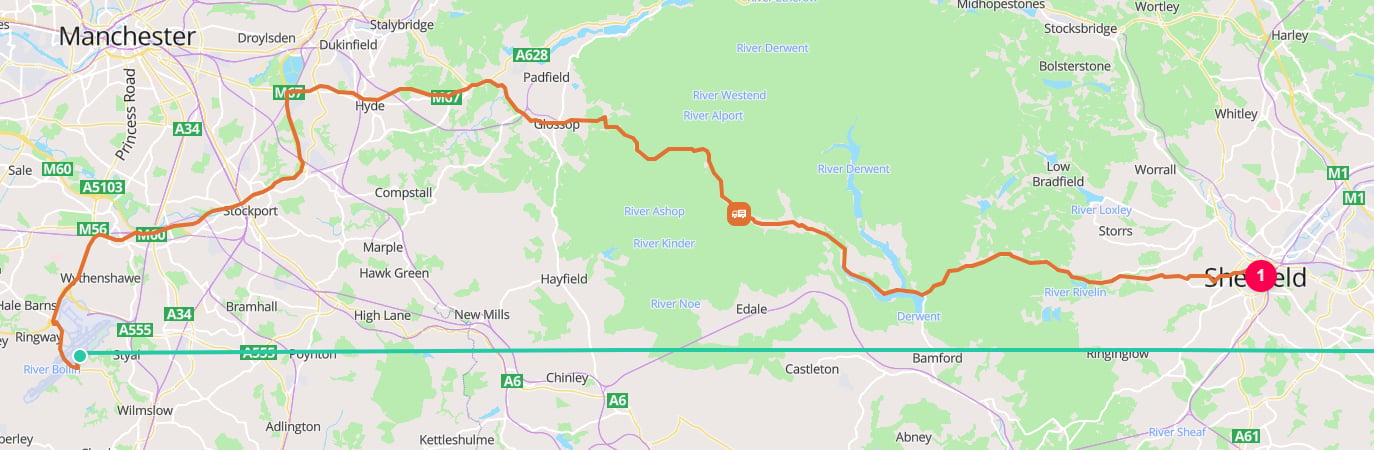
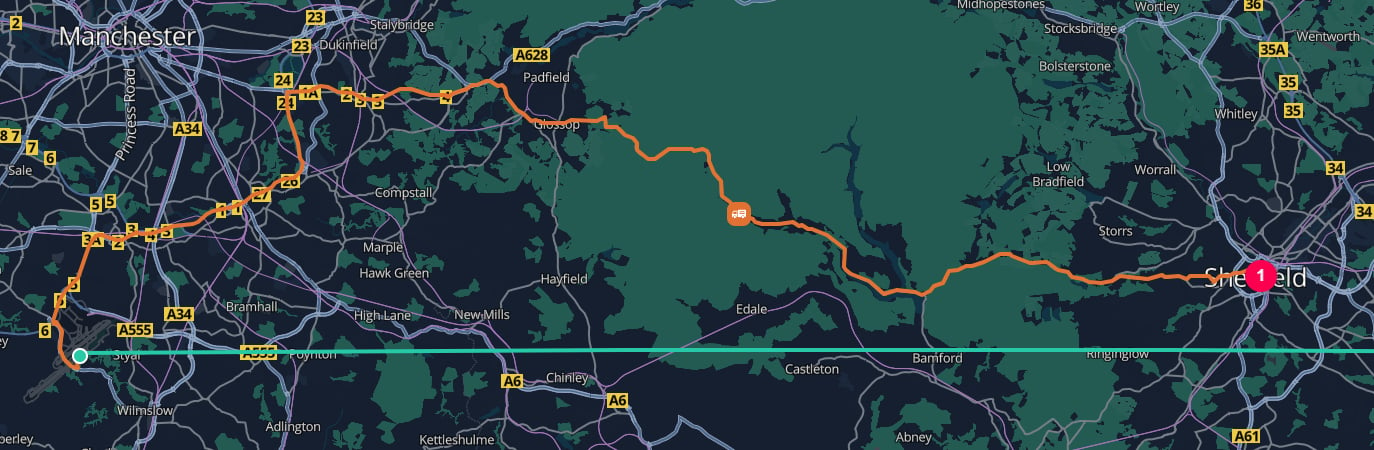
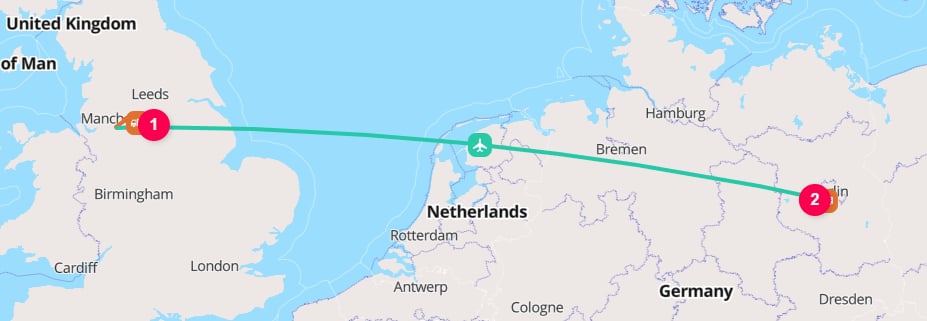
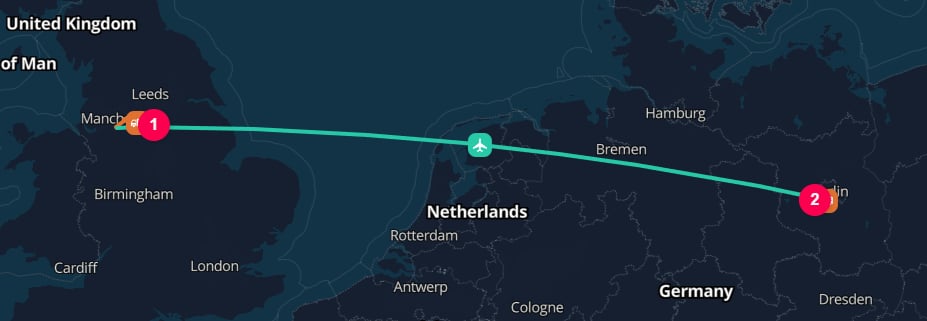
Manchester Airport [IATA:MAN] to Berlin Brandenburg Airport [IATA:BER] flight
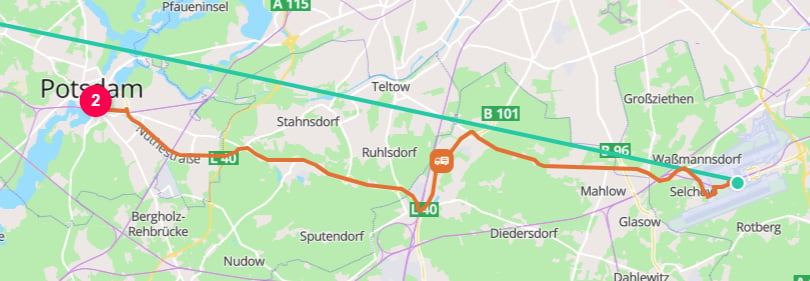
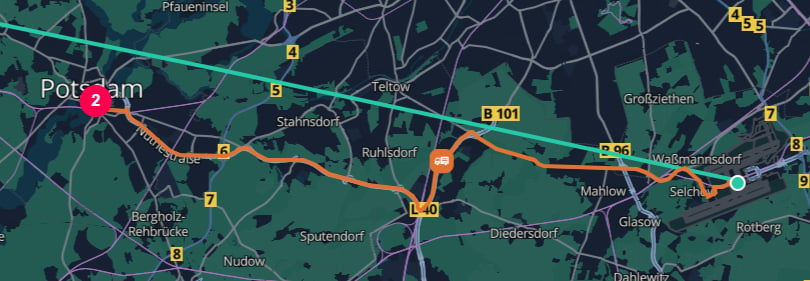
When the aircraft is known, provide it with
vehicle:
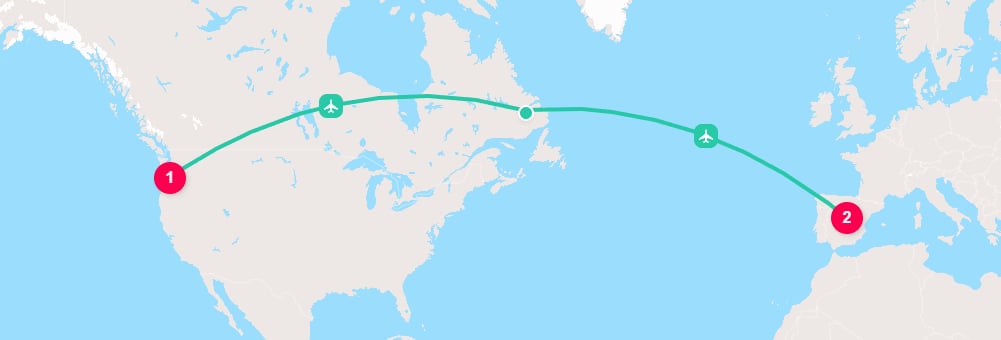
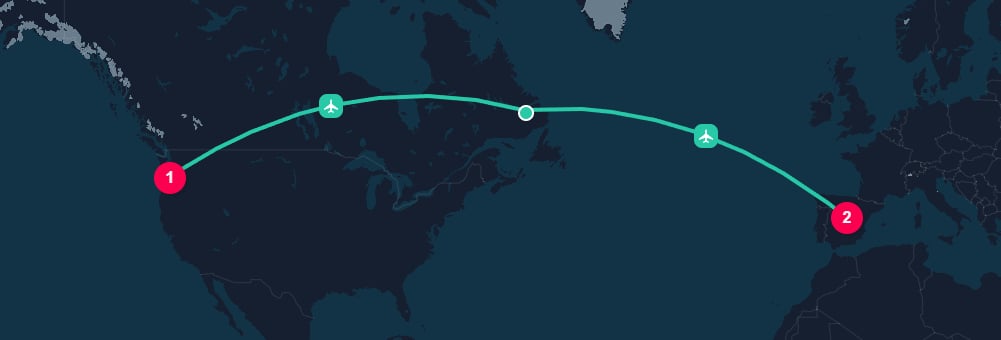
Portland International Airport [IATA:PDX] to Madrid–Barajas Airport [IATA:MAD] with a stopover in Newfoundland
Properties
Selecting air as the mode
The mode is selected with thetype property on a transport operation:
origin and destination, or from surrounding HUB elements in a larger transportChain.
AIR operation is anchored between the two airport hubs.
For more detail on chain boundaries, see the transport chains guide.
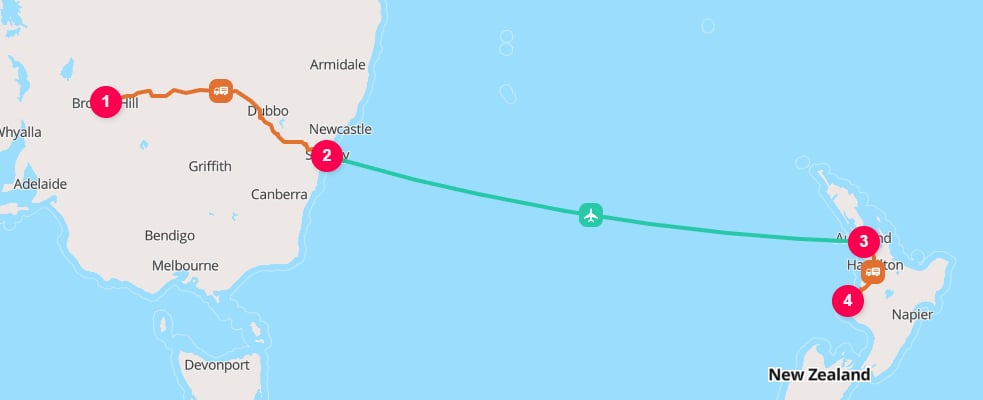
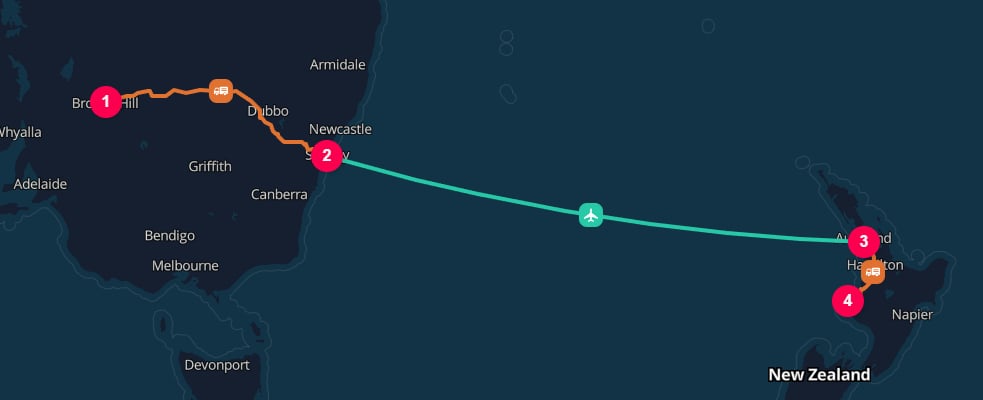
Broken Hill to New Plymouth through Sydney [IATA:SYD] and Auckland [IATA:AKL] airports
hubType. With automatic hub insertion enabled, TerraTwin selects their hub types from the surrounding ROAD to AIR and AIR to ROAD transitions. With options.hubInsertion: "MANUAL", they remain location boundaries but do not contribute hub emissions. See How a hub type is selected.Aircraft selection
Usevehicle when you know the type of aircraft.
The aircraft can be identified in any of three ways:
AIRBUS_A320_BELLY_FREIGHT, AIRBUS_A330_200F_FREIGHTER, BOEING_777_300_BELLY_FREIGHT, BOEING_747_8F_FREIGHTER, ATR_72_FREIGHTER, and EMBRAER_E195_AR_BELLY_FREIGHT.
Passenger belly freight and freighters
Air cargo can be carried in two very different operating contexts:Passenger
aircraftType: "PASSENGER" when the cargo is carried in the belly hold of a passenger aircraft.This is often called belly freight.Freighter
aircraftType: "FREIGHTER" when the aircraft is a dedicated or converted cargo aircraft.This includes aircraft built for freight and passenger aircraft converted to freighters.aircraftType is useful whenever the exact aircraft variant is not known.
It is important when vehicle is an IATA or ICAO code, because those codes may not
identify whether the cargo is carried as belly freight on a passenger aircraft or
on a dedicated freighter.
It is also useful when vehicle is not provided at all. In that case, TerraTwin
selects a default aircraft category, but the emissions intensity depends
significantly on whether the cargo is modeled as passenger belly freight or as
dedicated air freight.
When you know the operating type, provide it explicitly:
aircraftType is omitted, TerraTwin calculates emissions for both operating
types. Where several supported aircraft variants match either type, TerraTwin
uses the most common matching passenger variant and the most common matching
freighter variant.
The two results are then weighted using IATA economic reporting shares for
international available cargo tonne-kilometres by cargo business type. The
weighting year comes from departureDateTime, then arrivalDateTime, or
otherwise the latest year for which TerraTwin has IATA figures.
Unknown aircraft
Ifvehicle is omitted, TerraTwin uses a generic aircraft emissions factor.
You can still provide aircraftType to control whether the generic aircraft represents belly freight or freighter cargo.
vehicle and aircraftType are omitted, TerraTwin uses a composite generic aircraft assumption.
Unknown aircraft are not treated as one fixed aircraft for routing.
TerraTwin uses generic aircraft classes so that airport selection and stopover decisions still reflect runway capabilities and aircraft range.
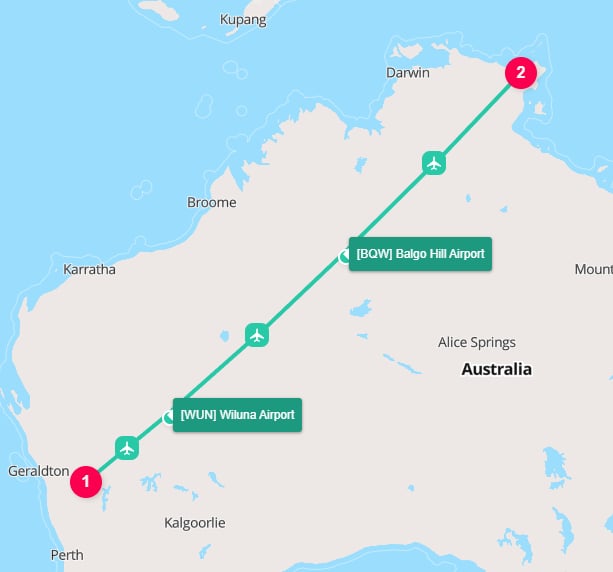
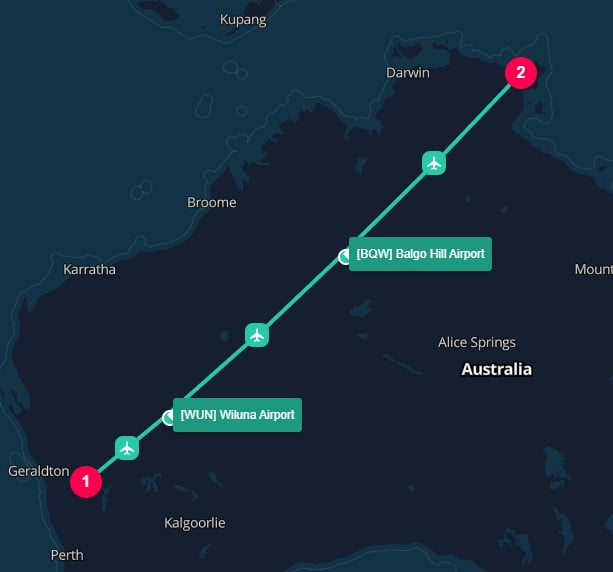
Karara [IATA:KQR] to Lake Evella [IATA:LEL]
Aircraft performance affects airport selection
Aircraft selection is not only an emissions intensity input. It also affects the operational route that TerraTwin can model. Whenvehicle identifies a specific aircraft, TerraTwin considers that aircraft’s performance characteristics during automatic airport selection.
This includes the aircraft’s runway compatibility and its range with revenue payload.
Range with revenue payload means the distance an aircraft can fly while carrying commercial payload, such as cargo or passengers.
It is not the same as a ferry range or maximum theoretical range with little or no payload.
For freight emissions modelling, this is the relevant range because the aircraft must be capable of carrying the shipment on the modeled flight segment.
When TerraTwin needs to choose an airport, it considers:
- Aircraft compatibility - whether the airport can support the selected aircraft.
- Distance from the supplied location - closer airports are generally preferred.
- Customs-border crossings - airports requiring an unnecessary border crossing are heavily penalized.
- Airport size and runway length - larger airports with longer runways are preferred when other factors are comparable.
FLR] for an unknown aircraft or for a narrow-body medium-haul aircraft such as an Airbus A319, because the airport is close to the city and can support that kind of aircraft.
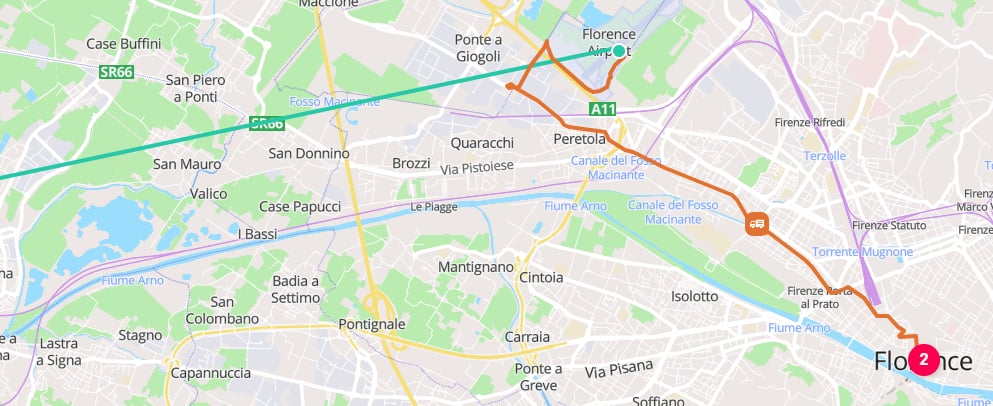
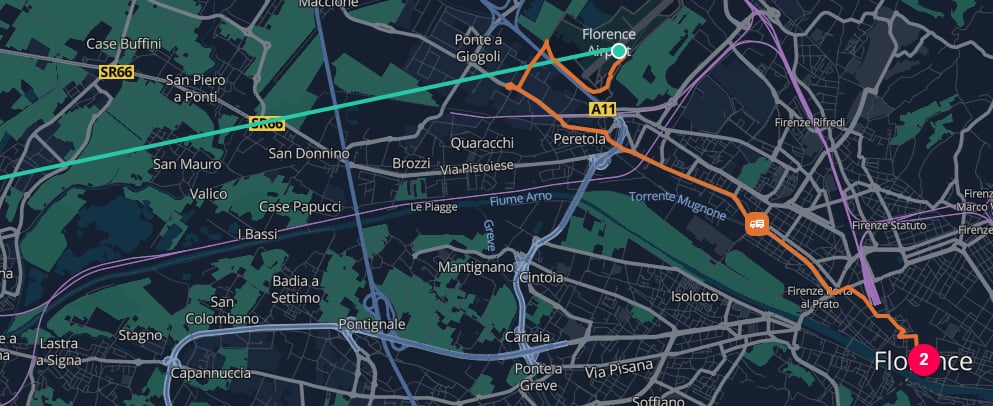
Florence Airport [IATA:FLR] selected for Airbus A319 narrow body aircraft
PSA], instead of the closest airport to Florence.
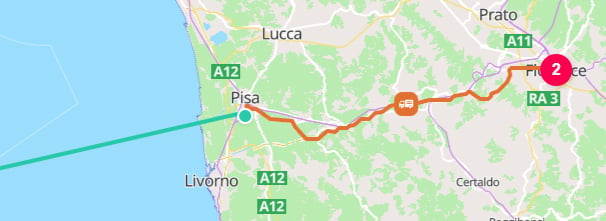
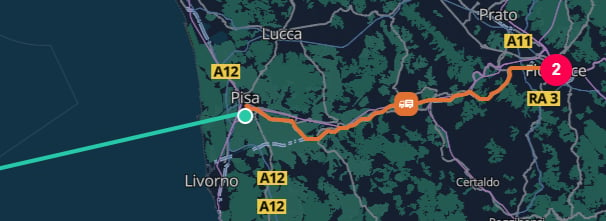
Piza International Airport selected for a Boeing 777-300 wide body aircraft
Explicit airports act as an override
If an airport is explicitly supplied as a location, TerraTwin uses that airport. This is true even when the chosen aircraft would not have caused TerraTwin to select that airport automatically. In this request, Florence Airport is used because it was explicitly supplied as the destination airport. Explicit airport inputs act as an override, so TerraTwin does not replace the airport even if the selected aircraft, such as an Airbus A321, would normally struggle to operate there.Sky rules and route restrictions
TerraTwin includes a sky rules database for route restrictions, long term airspace closures, and sanctions. These rules affect whether a direct route can be used and can force a detour even when the aircraft has enough range for the great circle distance. For example, restrictions introduced after the 2022 conflict in Ukraine can prevent direct flight routing between Western Europe and Russia. When this applies, TerraTwin routes around the affected airspace and may use an eligible detour corridor or stopover region, such as through Serbia, rather than modelling an unavailable direct path. Sky rules are applied together with aircraft performance and airport compatibility. A route must be possible for the selected aircraft and compliant with the applicable route restrictions.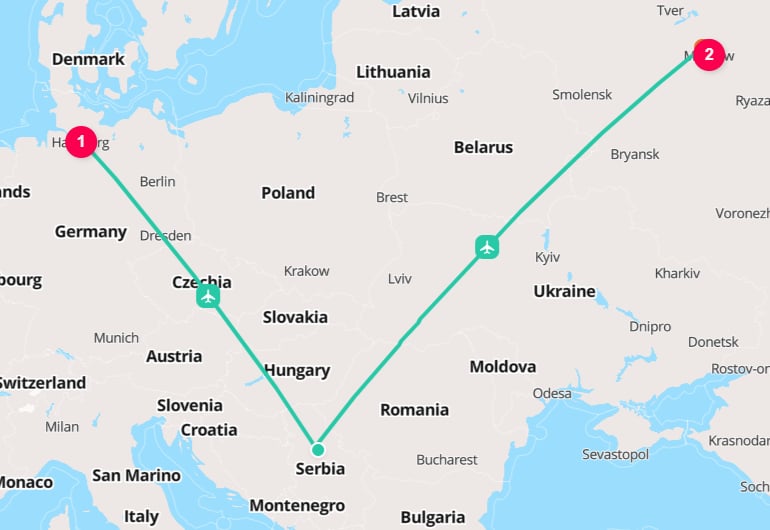
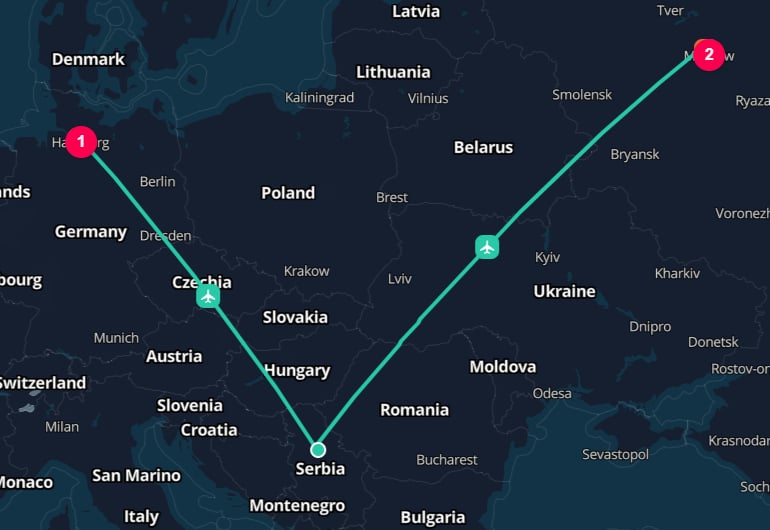
Hamburg to Moscow diverts through Belgrade Nikola Tesla Airport [IATA:BEG]
Automatic stopovers
TerraTwin inserts automatic stopovers when a requested air leg cannot be operated as one direct flight. Stopovers can be triggered by either of these situations:- The direct distance, including routing margin, exceeds the selected aircraft’s range with revenue payload.
- Political, regulatory, sanctions, or airspace restrictions prevent direct travel between the departure and arrival airports.
- is compatible with the selected aircraft or generic aircraft class;
- minimizes deviation from the shortest feasible route;
- allows the remaining route to be broken into feasible flight segments.
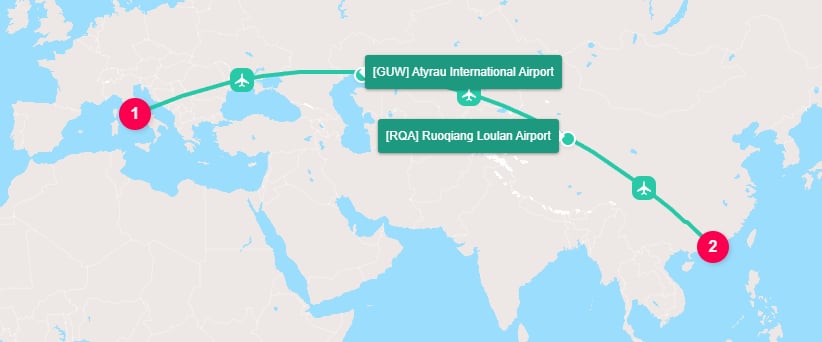
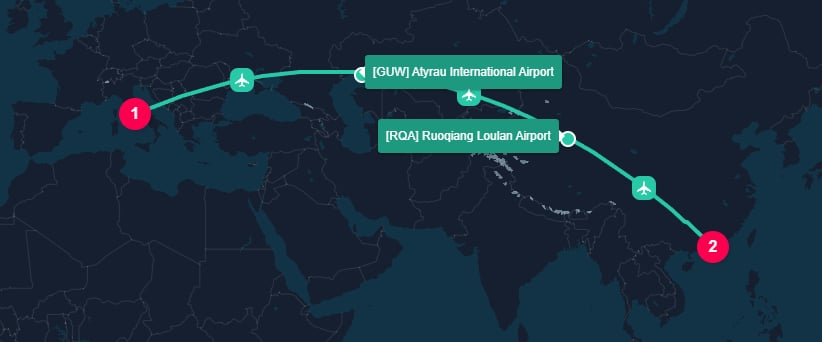
Rome to Hong Kong by 767-300F requires 2 stopovers
options.hubInsertion: "MANUAL".
options.defaultHubTypes.airToAir to NONE.
For the complete rules governing automatic insertion, manual insertion, and transition specific overrides, see the logistics hubs guide.
AIR operation. In the API credit model, an air transport operation is billed as a single credit even when TerraTwin inserts multiple automatic stopovers.Automatic first and last mile
When an air leg starts or ends anywhere apart from an airport, TerraTwin automatically connects the place to a selected airport by road.First mile road
SJO].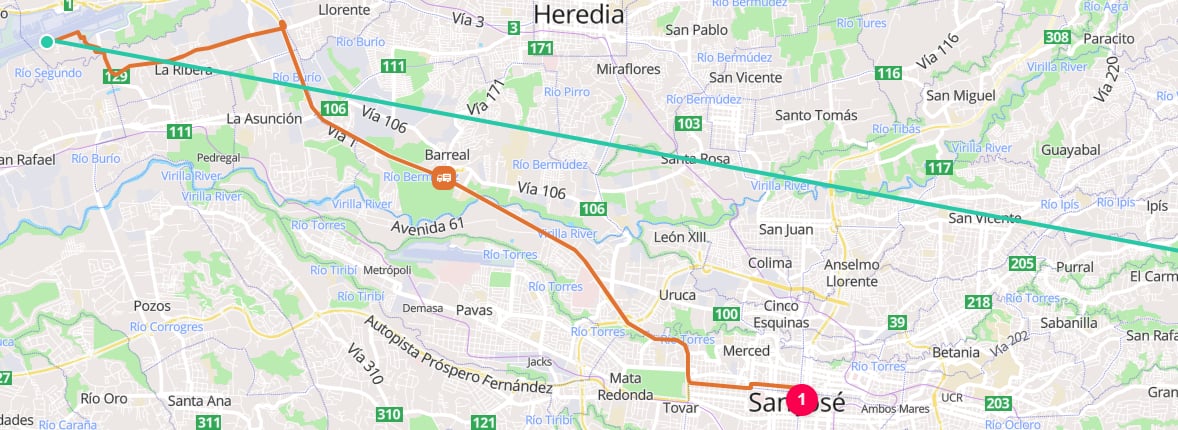
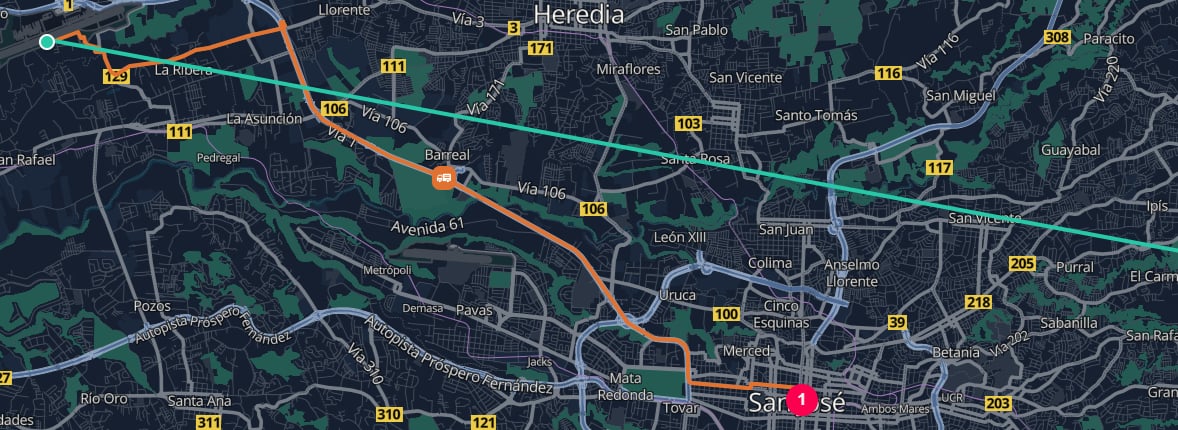
First mile road from San José to Juan Santamaría International Airport
Air transport
SJO] to Tocumen International Airport [IATA:PTY].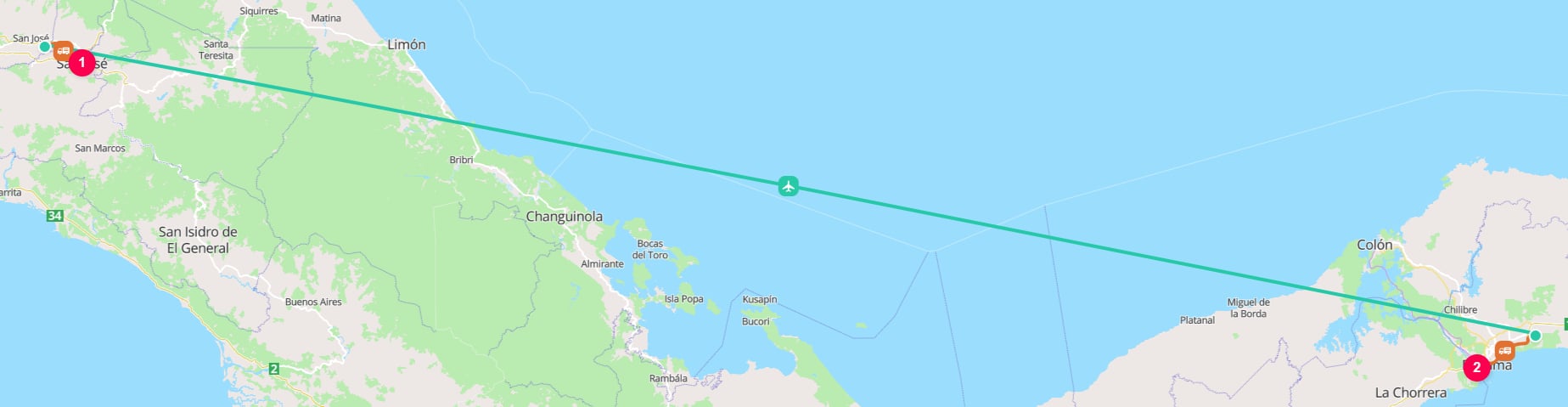
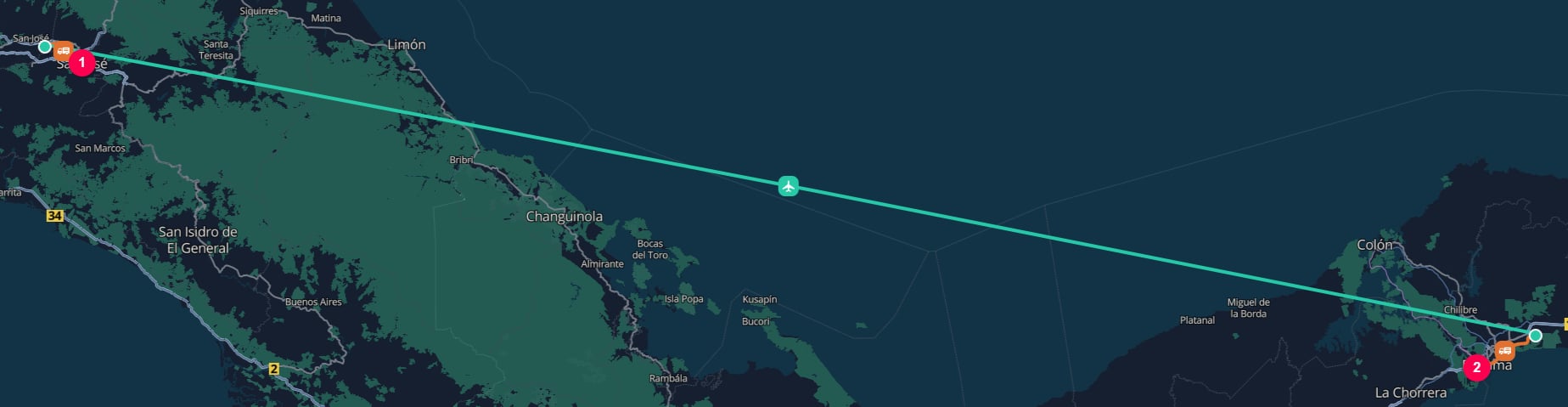
Air transport from Juan Santamaría International Airport to Tocumen International Airport
Last mile road
PTY] to the destination port of Balboa [PABLB].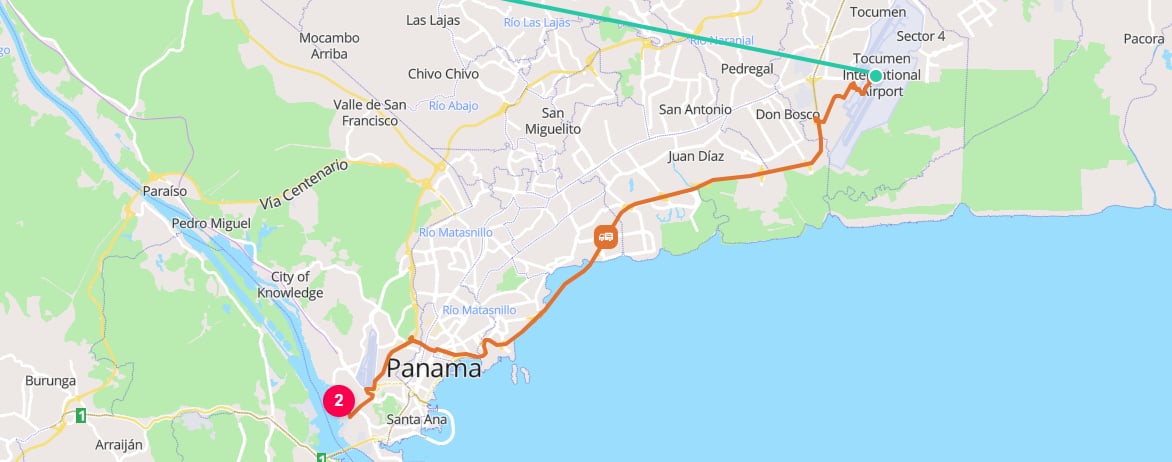
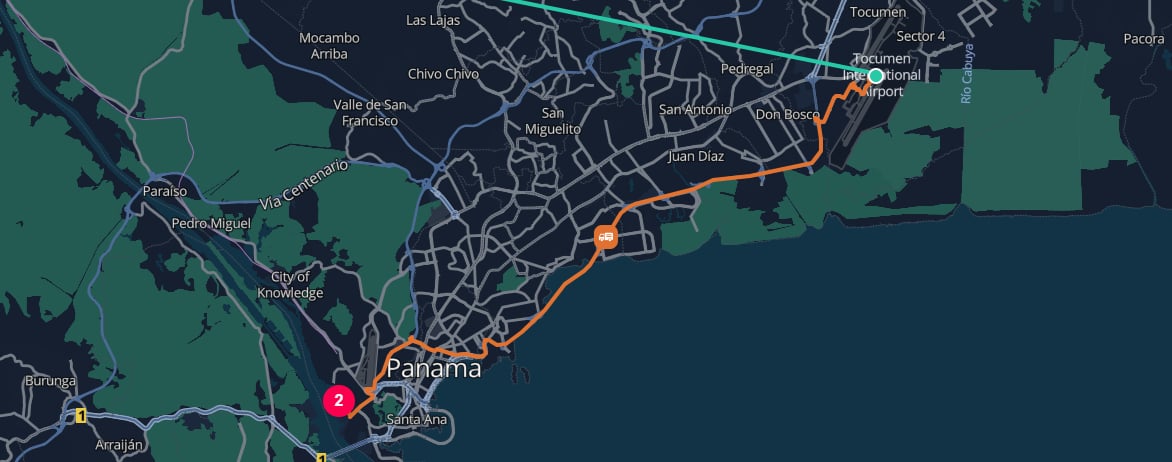
Last mile road from Tocumen International Airport to Balboa
firstMile or lastMile is not provided, TerraTwin selects an appropriate road vehicle based on the country, cargo category, trip distance, and cargo weight.
When the road vehicle is known, provide firstMile and/or lastMile using the same road vehicle configuration fields used by road transport.
AIRPORT, no first-mile road connection is needed. If the destination is already an AIRPORT, no last-mile road connection is needed.Dates and time zones
departureDateTime and arrivalDateTime are optional, but provide them when
they are known. They improve date-sensitive defaults, including the weighting
used when an aircraft code can refer to both passenger and freighter variants,
and make emissions certificates and analytics more useful by linking results to
the period in which the transport occurred.
departureDateTimeis resolved using the start location’s time zone.arrivalDateTimeis resolved using the end location’s time zone.
departureDateTime, or the
end location’s time zone for arrivalDateTime.
Explicit offset
Routing failure and mode fallback
Air routing can fail when TerraTwin cannot build a feasible air operation for the requested leg. This can happen when no suitable airport can be reached from the start or end location, or when the selected aircraft cannot reach the destination and no suitable stopover route can be found. Useoptions.fallbackTransportModes to let TerraTwin switch to another transport mode when the requested air operation cannot be realized.
Fallback modes are tried in the order you provide, excluding the mode that failed.
GDT] cannot accommodate an Airbus A380.
TerraTwin then tries the fallback modes in order: first ROAD, and then WATER.
ROAD cannot be used for this route, but WATER succeeds because the island has a usable sea port.
If firstMile or lastMile settings are configured on the leg, TerraTwin also applies them to fallback modes where they are relevant.
The first fallback mode that can be routed and calculated is returned.
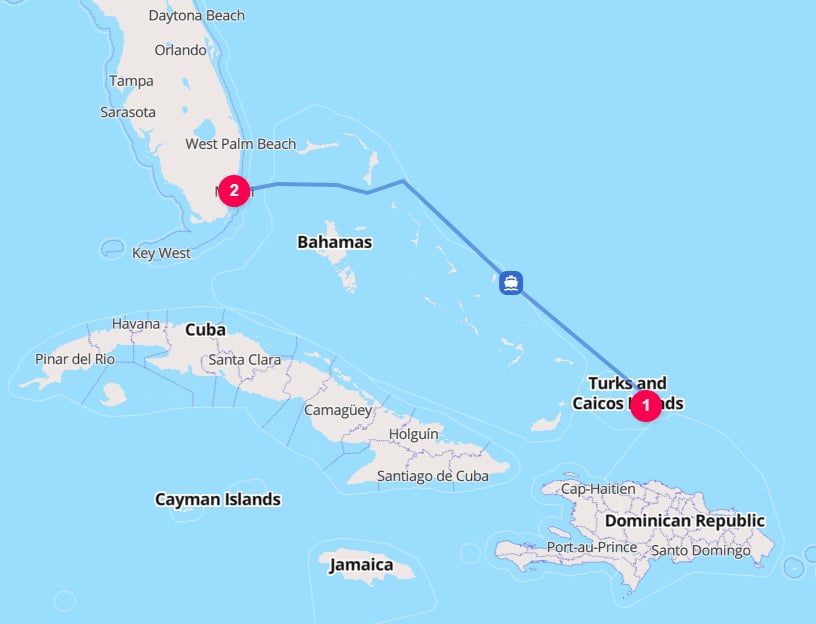
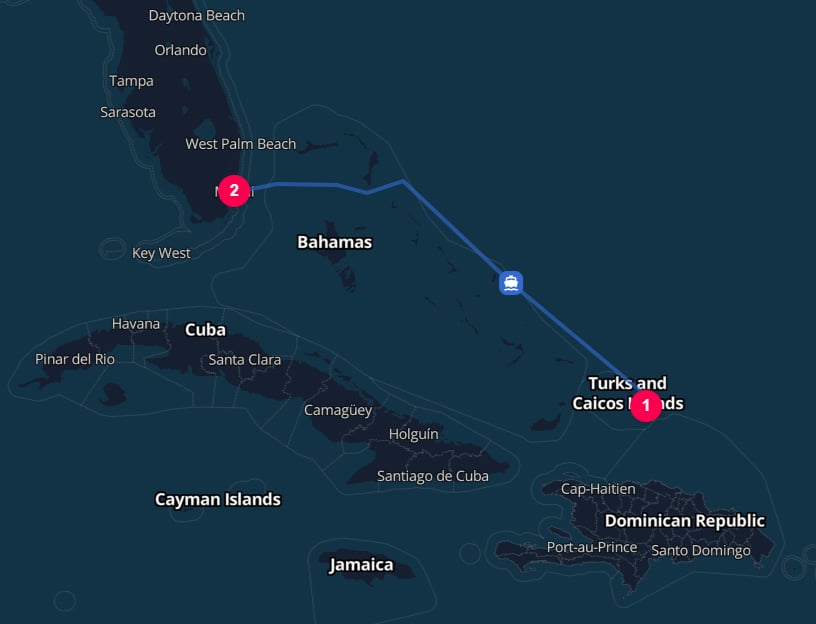
Grand Turk to Miami falls back to WATER
id or context provided on the failed air operation is preserved and returned with the replacement operation’s result.Recommendations
Set the air mode explicitly
type: "AIR" in the transport operation when the leg is known to be flown.Provide the aircraft when known
vehicle using a TerraTwin system identifier, ICAO code, or IATA code. Prefer the TerraTwin system identifier when the exact aircraft variant is known.Disambiguate passenger and freighter operations
aircraftType whenever you know whether the cargo moved as belly freight or on a freighter.Provide dates when available
departureDateTime or arrivalDateTime when known. Dates improve defaults and support period-based certificates, analytics, audits, and reporting.Configure first and last mile when known
firstMile and lastMile when the origin or destination is not an airport and you know the road vehicle details. Otherwise, let TerraTwin choose appropriate road defaults.