

type to RAIL within a transport chain when a shipment leg is moved by rail.
TerraTwin can calculate rail emissions from a very small amount of information, but rail transport is sensitive to the train consist, the selected rail yards, the rail route, and whether each section of the route is operated using electric or diesel traction.
Mode
type: "RAIL" in a transportChain transport element.TerraTwin treats that element as a requested rail leg between the surrounding transport chain locations.Train
vehicle when you know the train consist.If the exact consist is unknown, use trainType, grossTrainWeight, and cargo.category to guide train selection.Rail yards
RAIL_YARD, TerraTwin selects suitable rail yards automatically.The rail movement is routed between those rail yards.Connectors
firstMile and lastMile when the road vehicle configuration is known.RAIL when cargo is modeled as freight moving by train.
A road journey that uses a roll-on/roll-off train service, such as the Channel Tunnel shuttle, is normally modeled as ROAD.
When the selected road route uses the rail crossing, TerraTwin represents it as a sub-operation of the ROAD transport operation.Basic shape
A minimal rail operation only needstype: "RAIL" in the transport chain:
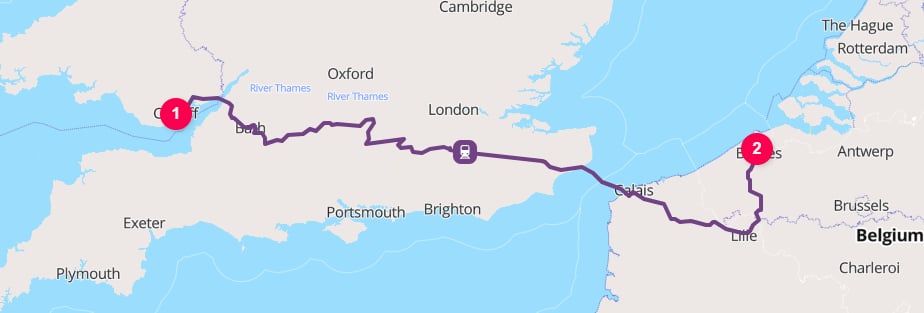
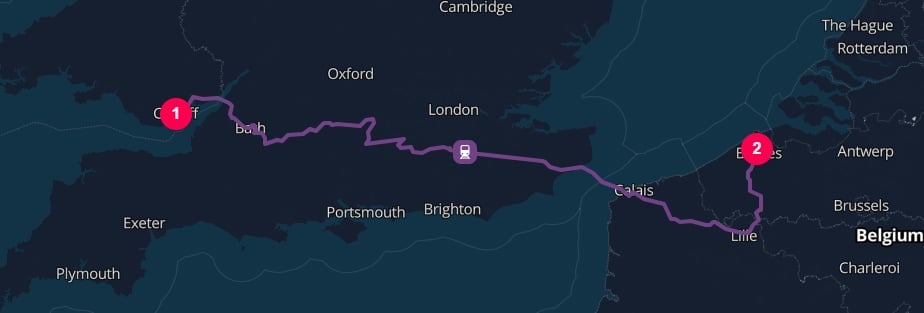
CF10 1EP Cardiff to 8000 Bruges
type property on the transport operation.
Because the origin and destination are places rather than rail yards, TerraTwin selects suitable rail yards and adds road connector movements where needed.
HUB operations at the road-to-rail and rail-to-road transfers. See the logistics hubs guide for how these hubs are selected and how to control them with options.hubInsertion.vehicle and energyType:
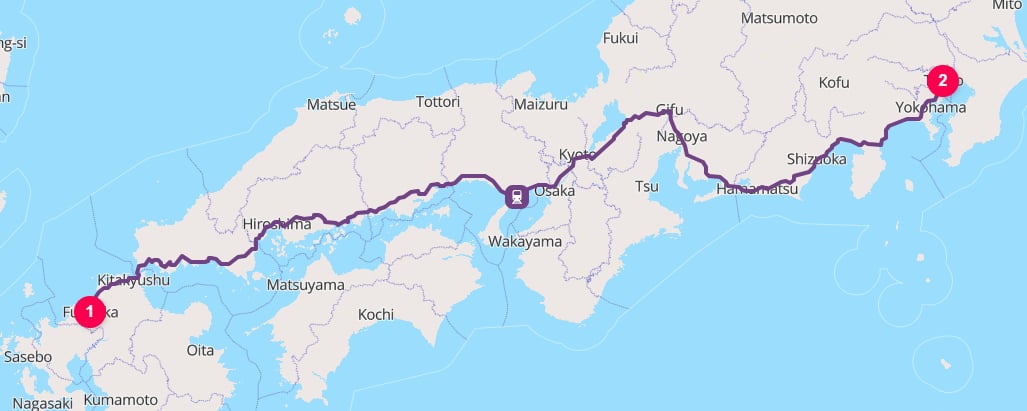
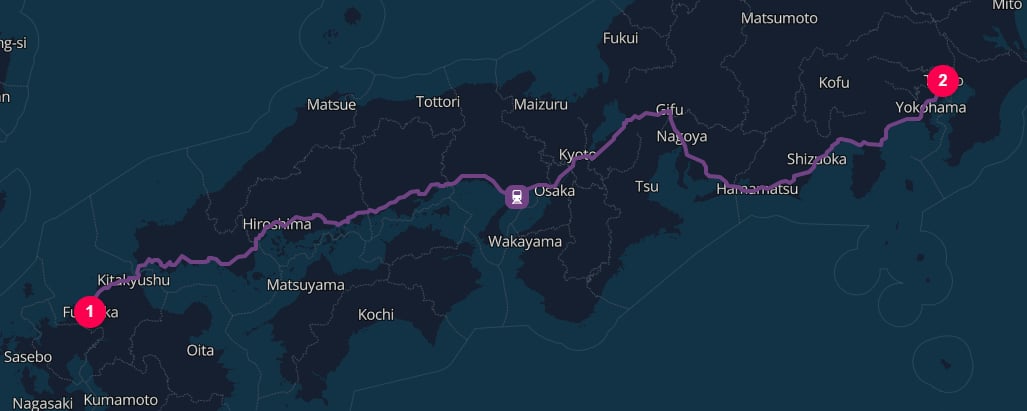
Fukuoka to Tokyo
Properties
Selecting rail as the mode
The mode is selected with thetype property on a transport operation:
origin and destination, or from surrounding HUB elements in a larger transportChain.
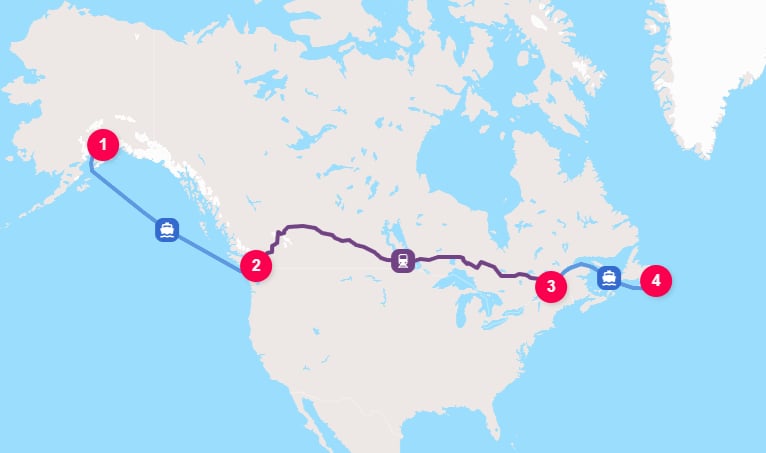
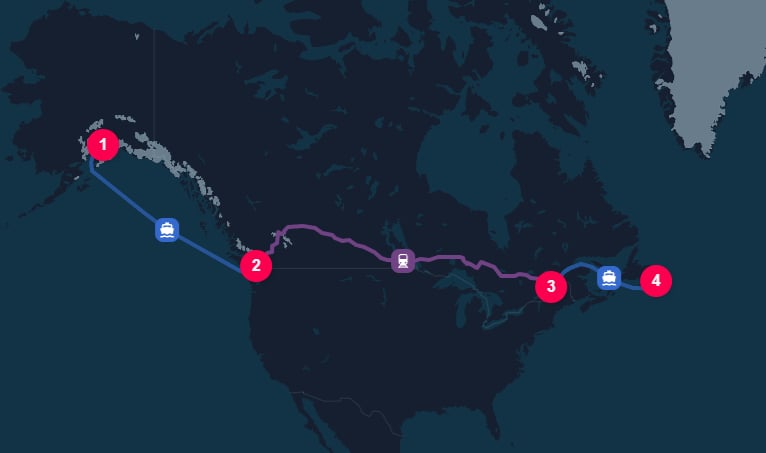
Anchorage to St. John's via Vancouver and Quebec
HUB elements explicitly separate the sea and rail legs.
hubType.
With automatic hub insertion enabled, TerraTwin selects their hub types from the surrounding WATER to RAIL and RAIL to WATER transitions.
With options.hubInsertion: "MANUAL", they remain location boundaries but do not add hub emissions. See the How a hub type is selected for hub type selection and insertion rules.Train selection
Rail supports two broad train consist families:Manifest trains
trainType: "MANIFEST" for general mixed cargo services using multiple wagon types.Emissions are calculated from the train size, which can be selected using grossTrainWeight.Unit trains
trainType: "UNIT" for dedicated services carrying one cargo type.Emissions are calculated from the cargo specific train configuration selected from cargo.category.Direct train selection with vehicle
Use vehicle when you know the train consist.
Supported train values include both manifest train sizes and unit train types:
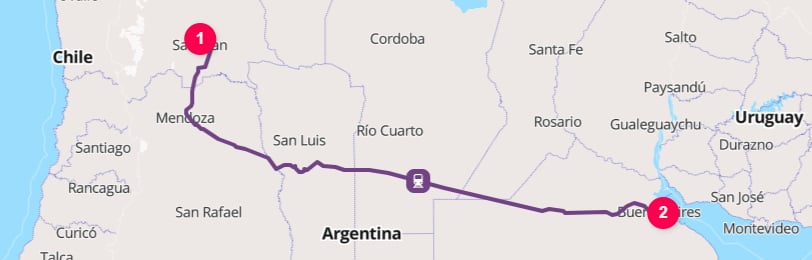
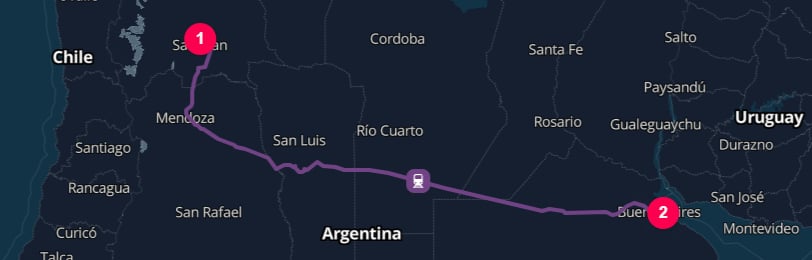
Building materials, such as cement, from San Juan to the Port of Buenos Aires
vehicle is set, TerraTwin uses that vehicle class for train selection. Any trainType, grossTrainWeight, or cargo.category values are not used to choose the train.
cargo.category may still affect other parts of the calculation. For example, it can influence cargo density, climate-control defaults, connector road vehicle selection, and hub defaults. It is only ignored for the purpose of selecting the train when vehicle is provided.Manifest trains and grossTrainWeight
Use trainType: "MANIFEST" when the cargo moves on a general mixed cargo freight train.
For manifest trains, grossTrainWeight is used to choose the train size.
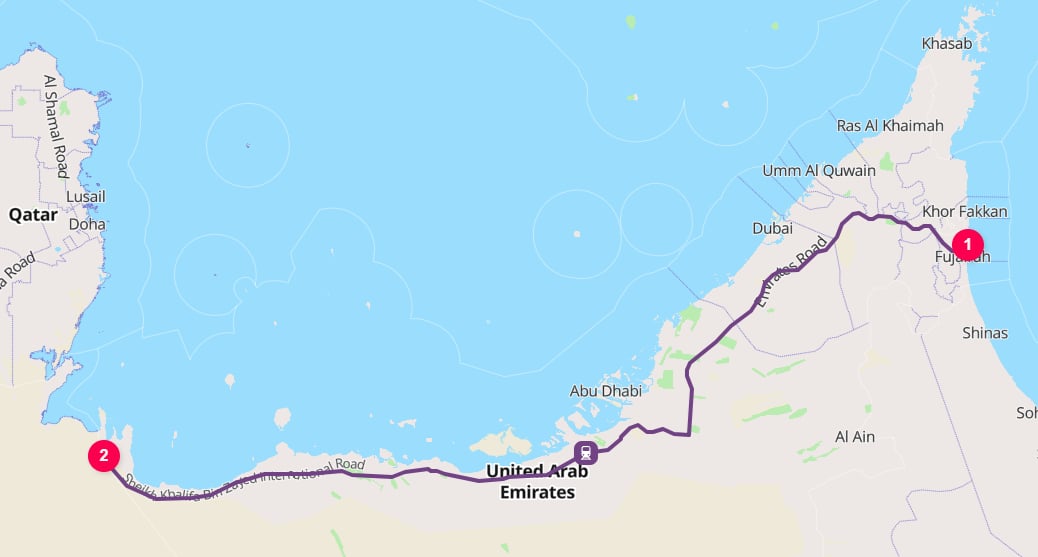
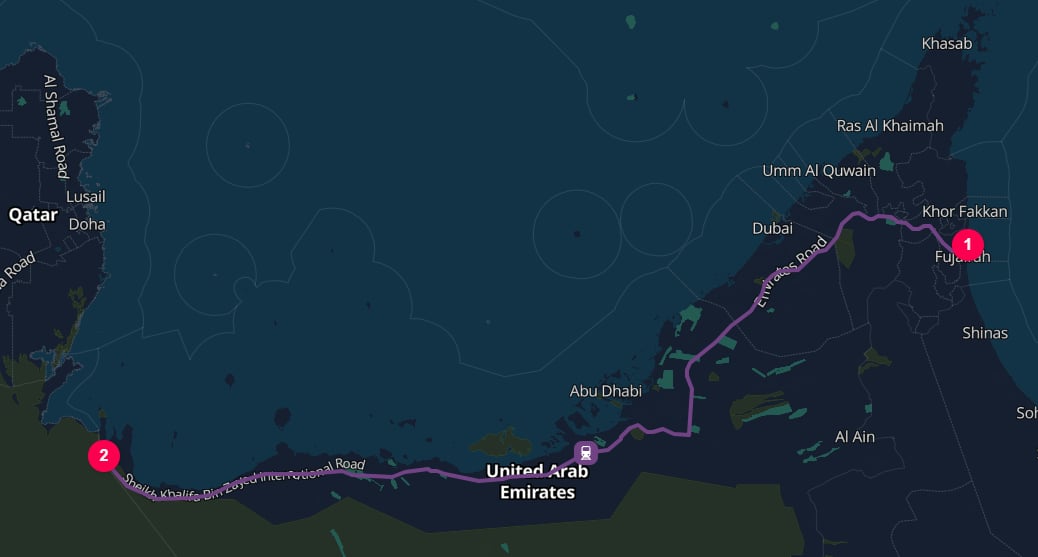
Mixed cargo from the Port of Fujairah [AEFJR] to Al Ghuwaifat Station
grossTrainWeight supports these units:
trainType is MANIFEST and grossTrainWeight is omitted, TerraTwin chooses a default manifest train size based on the region of operation.
For example, AVERAGE_TRAIN is the European default and HEAVY_TRAIN is the USA and Canada default.Unit trains and cargo category mappings
UsetrainType: "UNIT" when the cargo moves on a dedicated freight train carrying one cargo type.
For unit trains, grossTrainWeight is ignored and cargo.category is used to select the train configuration.
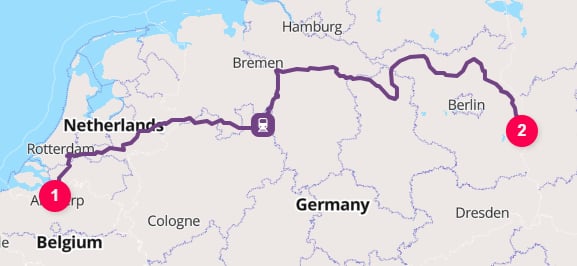
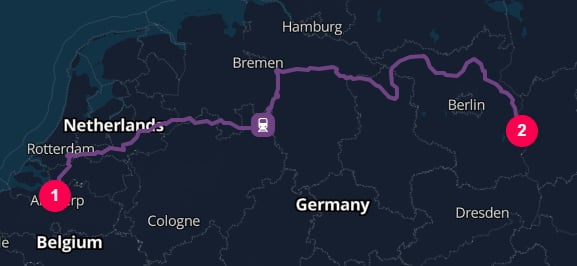
Iron ore from the Port of Antwerp [BEANR] to the ArcelorMittal Eisenhüttenstadt steelworks
cargo.category is omitted, it defaults to GENERAL. With trainType: "UNIT", that means TerraTwin will usually treat the cargo as containerized unless you provide a more specific category.Energy type and electrification
energyType influences rail emissions because electric and diesel traction use different emissions factors.
Rail supports two values:
ELECTRICITY, but this does not mean the whole route is forced to be electric.
Electricity is only used where the rail line supports electric traction.
Where the route uses non-electrified rail infrastructure, TerraTwin models diesel traction for that part of the route.
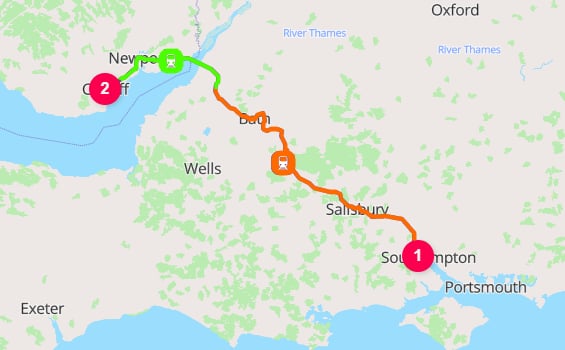
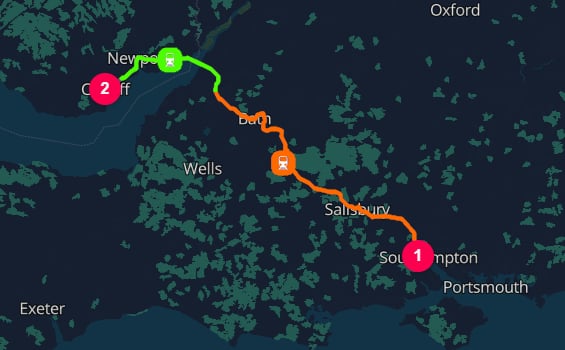
Southampton to Cardiff, switching from diesel (orange) to electric (green) on the Filton Chord
Dates and time zones
departureDateTime and arrivalDateTime are optional, but provide them when they are known.
They make emissions certificates and analytics more useful by linking results to the period in which the transport occurred.
departureDateTimeis resolved using the start location’s time zone.arrivalDateTimeis resolved using the end location’s time zone.
departureDateTime, or the end location’s time zone for arrivalDateTime.
Explicit offset
Route polylines
By default, calculation results do not include the geometry of the calculated rail route. Set the top-leveloptions.includeRoutePolylines property to true when you need route geometry for mapping, visualization, or downstream spatial processing:
RAIL result includes a route property containing the full train route encoded using the Google Encoded Polyline Algorithm Format.
The rail polyline represents the train movement between the selected rail yards. If TerraTwin adds first-mile or last-mile road transport, those connector movements are returned as separate ROAD results. Because includeRoutePolylines is a top-level option, their corresponding route properties are also included.
includeRoutePolylines defaults to false. When it is omitted or set to false, route properties are not included in the response.Routing failure and mode fallback
Rail routing can fail when TerraTwin cannot build a feasible rail operation for the requested leg. This can happen when no rail yard can be reached from the start or end location, or when no connecting rail route can be found between the selected rail yards. Useoptions.fallbackTransportModes to let TerraTwin switch to another transport mode when the requested rail operation cannot be realized.
Fallback modes are tried in the order you provide, excluding the mode that failed.
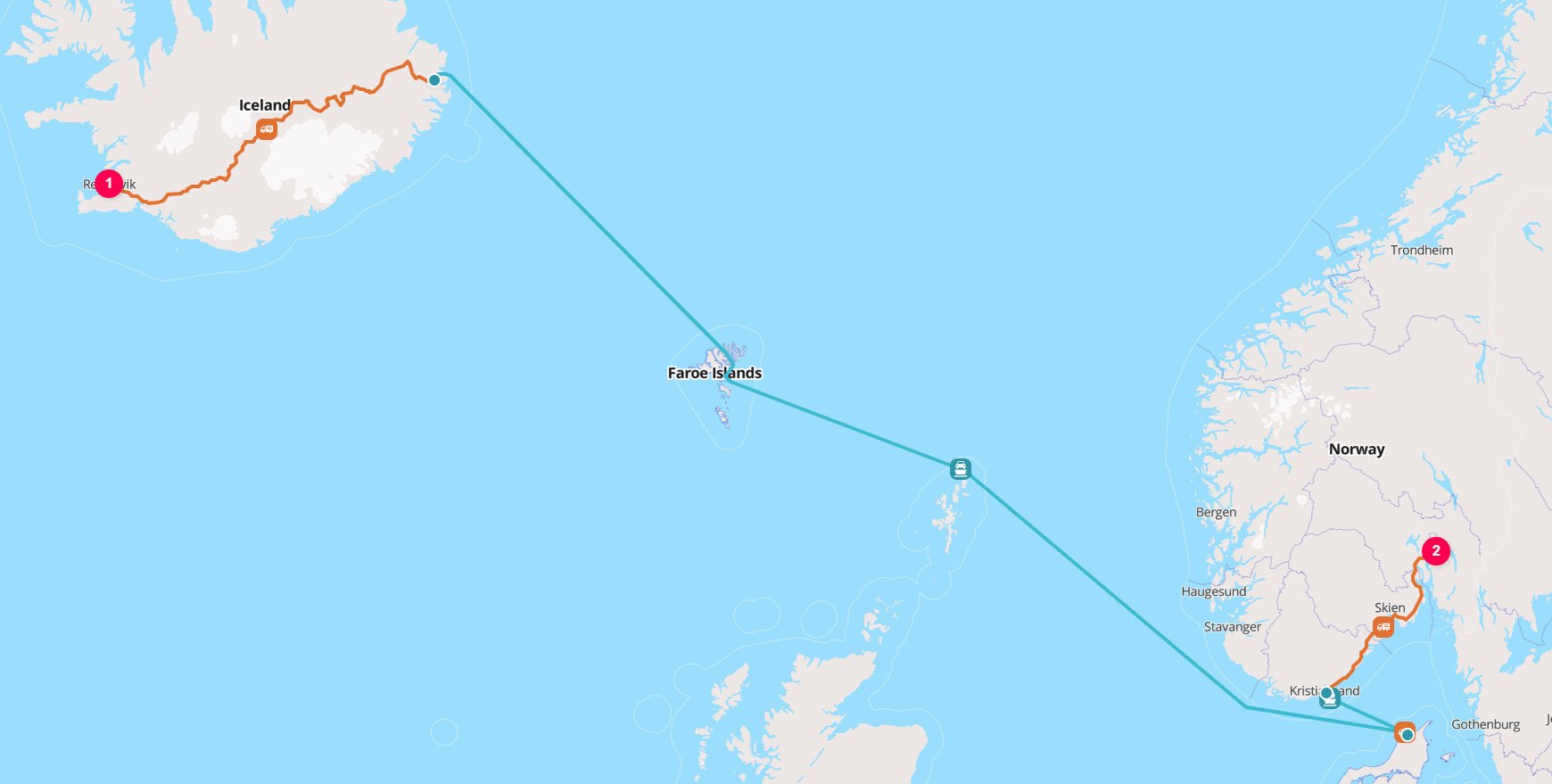
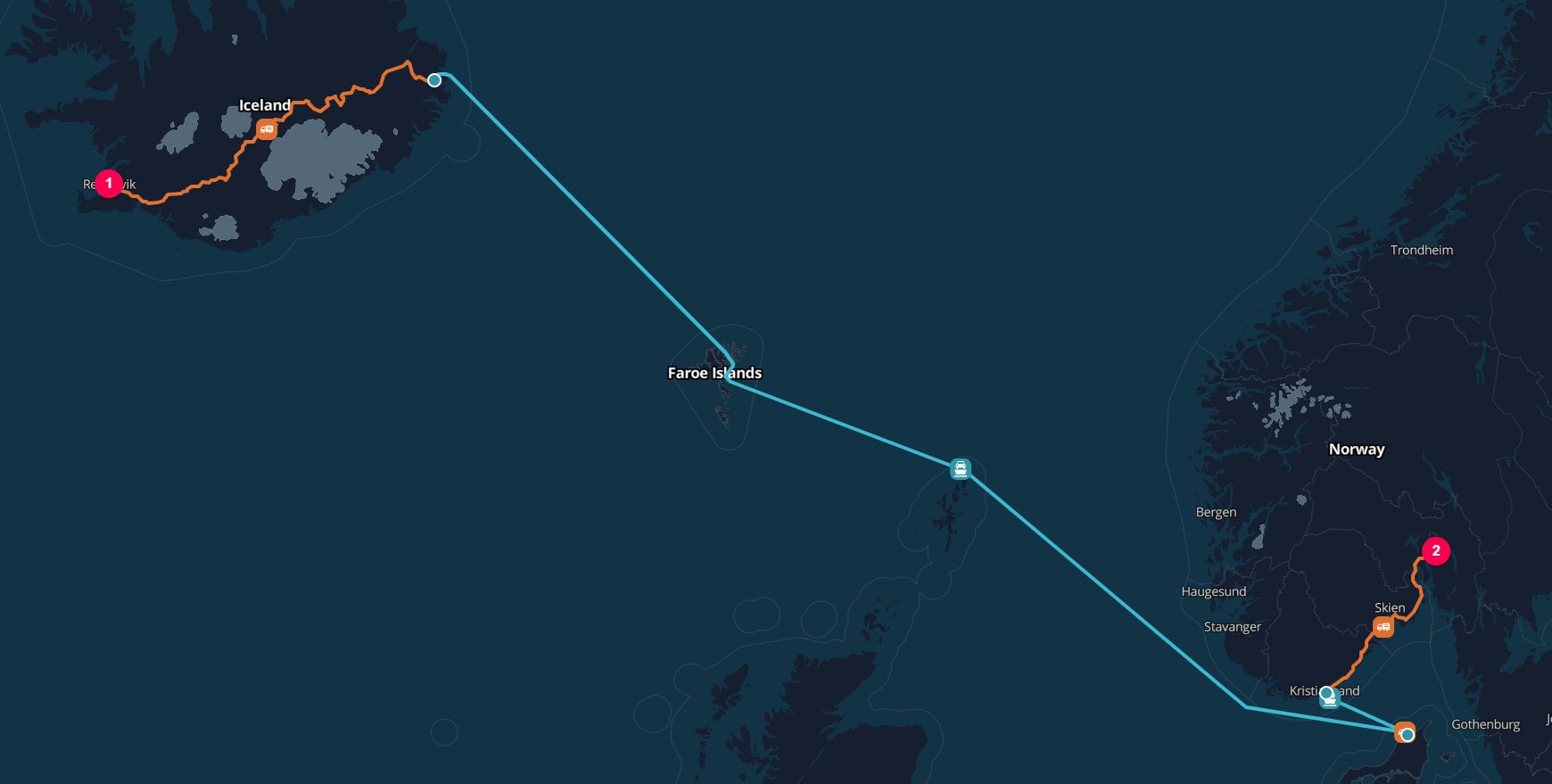
Reykjavik to Oslo failover to ROAD (and RoRo ferry) transport
ROAD, WATER, then AIR.
The ROAD fallback succeeds because the route can be calculated as a road journey with RoRo ferry connections from Seyðisfjörður to Kristiansand.
Since ROAD is the first fallback mode that can be routed and calculated, that result is returned.
If firstMile or lastMile settings are configured on the rail leg, TerraTwin applies them to fallback modes where they are relevant.
If every fallback attempt fails, the API returns the error from the final fallback mode attempted.
id or context provided on the failed rail operation is preserved and returned with the replacement operation’s result.Recommendations
Set the rail mode explicitly
type: "RAIL" in the transport operation when the leg is known to move by train.Provide the vehicle when the train is known
vehicle to the exact supported train class when the train consist is known. This avoids automatic selection and gives the most direct calculation input.Use trainType for the operating pattern
MANIFEST for mixed cargo services and UNIT for dedicated commodity trains.Add grossTrainWeight for manifest trains
MANIFEST trains, provide gross train weight when known so TerraTwin can select the correct train size.Set the cargo category for unit trains
UNIT trains, provide cargo.category so TerraTwin can select the correct dedicated train type. Do not rely on the default GENERAL category unless the cargo should be treated as containerized general freight.Review energy assumptions
energyType: "DIESEL" when the service is known to be diesel hauled.Configure first and last mile when known
firstMile and lastMile when the origin or destination is not a rail yard and you know the road vehicle details. Otherwise, let TerraTwin choose appropriate road defaults.Include route geometry when needed
options.includeRoutePolylines to true when you need the calculated train route in the response. If the journey includes first-mile or last-mile road connectors, use the separate route value from each returned transport result to reconstruct the complete journey.Use fallback modes for uncertain routability
options.fallbackTransportModes when a requested rail route may not be feasible and another mode should be attempted automatically.